The best budgeting app is the one you’ll actually use. This guide reviews the top budgeting apps in 2026 — free and paid — with honest assessments of who each one is actually for, what they cost, and where they fall short. No affiliate bias, just a direct comparison so you can pick the right one for your situation.

This guide covers the best budgeting apps of 2026 — with real comparisons and honest advice on which one fits your situation.

Prices checked in October 2026 on each app’s own pricing page or recent pricing reviews. Budgeting apps change prices often, so confirm the current price before you subscribe.
Best Budgeting Apps 2026: Quick Comparison
| App | Price | Best For | Method | Bank Sync | Rating |
|---|---|---|---|---|---|
| YNAB $14.99/month or $109/year | Serious budgeters, debt payoff | Zero-based | ✅ Yes | ⭐⭐⭐⭐⭐ | |
| Monarch Money | $99.99/year | Mint users, couples, net worth tracking | Automatic sync | ✅ Yes | ⭐⭐⭐⭐⭐ |
| EveryDollar | Free / $17.99/month (Plus) | Dave Ramsey followers | Zero-based | Plus only | ⭐⭐⭐⭐ |
| PocketGuard | Free / $12.99/month or $74.99/year | Overspenders, simple view | 50/30/20 style | ✅ Yes | ⭐⭐⭐⭐ |
| Copilot | $13/month or $95/year | iPhone users, clean UI | Automatic + manual | ✅ Yes | ⭐⭐⭐⭐⭐ |
| Goodbudget | Free / $8/month | Couples, envelope method | Envelope budgeting | ❌ Manual | ⭐⭐⭐⭐ |
| Empower (Personal Capital) | Free | Investors tracking net worth | Wealth tracking | ✅ Yes | ⭐⭐⭐⭐ |
| Spreadsheet (Google Sheets) | Free | Control freaks, privacy-conscious | Any method | ❌ Manual | ⭐⭐⭐⭐ |
Best Free Budgeting App: Goodbudget (and Best Mint Replacement: Monarch Money)
Important update for 2026: Mint shut down permanently on March 23, 2024. If you were a Mint user, your data was moved to Credit Karma — which tracks spending but doesn’t do proper monthly category budgets. The good news: there are better alternatives now.
Best free option: Goodbudget
Goodbudget uses the envelope budgeting method — you assign money to categories before spending it. The free tier gives you 20 envelopes, manual transaction entry, and syncing across two devices. It’s the closest truly free app to a real budgeting system. The downside: no automatic bank sync on the free plan, so you enter transactions manually. Many users find this intentional friction actually makes them more aware of their spending.
- Cost: Free (20 envelopes) or $10/month / $80/year for unlimited
- Best for: Beginners who want envelope budgeting without paying
- Syncs with bank: No (free tier) / Yes (paid)
Best Mint replacement: Monarch Money
Monarch Money was built by a former Mint creator and is the closest like-for-like replacement. It auto-imports transactions, tracks spending by category, shows your net worth across all accounts, and works for couples. At $99.99/year (about $8.33/month), it costs more than Mint did (free) but offers significantly better features and has no ads or data selling.
- Cost: $99.99/year or $14.99/month (7-day free trial)
- Best for: Former Mint users wanting a like-for-like replacement
- Syncs with bank: Yes
Best Paid Budgeting App: YNAB
YNAB (You Need a Budget) is the gold standard for people serious about getting out of debt or building savings fast. It uses zero-based budgeting — every dollar gets a job before the month starts. New users save an average of $600 in their first two months and $6,000 in their first year, according to YNAB’s own data.
Best for: Anyone with debt, irregular income, or who has failed at budgeting before. The structured approach and real-time awareness change spending habits, not just tracking. Limitation: 09/year feels steep, but if it genuinely changes your financial behavior, it pays back in weeks. Free 34-day trial available.
Best Budgeting App for Couples: Goodbudget
Goodbudget uses the digital envelope method — you allocate money into virtual envelopes (groceries, rent, entertainment) and spend from them. The key feature is real-time sync between two phones, making it the best option for couples who want to budget together without one person controlling the spreadsheet.
Best for: Couples, families, or anyone who finds the envelope method effective. Limitation: No bank sync — you enter transactions manually. This is a feature for some (more intentional spending) and a dealbreaker for others.
Best App for Tracking Net Worth: Empower (Personal Capital)
Empower is less a budgeting app and more a wealth dashboard. It aggregates all your accounts — checking, savings, investments, mortgage, retirement — and shows your complete financial picture in one place. The net worth tracking and investment analysis tools are best-in-class and completely free.
Best for: People with investments who want to track overall financial progress rather than day-to-day spending. Pair it with our free net worth calculator to track your progress manually. Limitation: Empower will try to sell you their wealth management service — easy to ignore.
Best Budgeting Apps 2026: Full Pricing Comparison
Here’s every major budgeting app with accurate 2026 pricing — so you can compare like-for-like:
| App | Free Tier? | Paid Price (2026) | Bank Sync? | Best For |
|---|---|---|---|---|
| YNAB | 34-day trial only | $109/year ($14.99/mo) | ✅ Yes | Serious budgeters, zero-based method |
| Monarch Money | 7-day trial | $99.99/year ($14.99/mo) | ✅ Yes | Mint replacement, couples |
| Simplifi by Quicken | 30-day trial | $47.88/year ($3.99/mo) | ✅ Yes | Budget beginners wanting automation |
| Goodbudget | ✅ Yes (20 envelopes) | $80/year ($10/mo) | ❌ Manual entry | Envelope budgeting, no bank sync needed |
| EveryDollar | ✅ Yes (manual entry) | $79.99/year ($12.99/mo) | Paid only | Dave Ramsey followers, zero-based |
| Empower (Personal Capital) | ✅ Free | Free | ✅ Yes | Net worth tracking, investments |
| Rocket Money | ✅ Yes | $6–$12/month | ✅ Yes | Subscription cancellation, bill negotiation |
| Copilot | 30-day trial | $95.99/year | ✅ Yes | Apple users, AI categorization |
Bottom line on pricing: The paid apps ($80–$110/year) consistently outperform free options for people who actually want to change their spending habits. The ROI is clear — if a $109/year app helps you spot $200/month in unnecessary spending, you’re up $1,300 net in year one. The free apps (Goodbudget, Empower) are best if you want to test budgeting before committing.
Budgeting App vs Spreadsheet: Which Is Better?
| Budgeting App | Spreadsheet (Google Sheets) | |
|---|---|---|
| Setup time | 15-30 minutes | 1-3 hours |
| Ongoing effort | Low (auto-sync) to Medium (manual) | High (manual entry) |
| Privacy | Low — shares bank data with third party | High — stays on your device |
| Customization | Limited to app’s categories | Unlimited |
| Cost | Free to $14.99/month ($109/year) | Free |
| Best for | Most people — lower friction = more consistency | Data-focused people, privacy-conscious users |
How to Choose the Right Budgeting App for You
| Your Situation | Best App | Why |
|---|---|---|
| Complete beginner, want passive tracking | Empower | Free, automatic, low effort |
| Serious about debt payoff or savings | YNAB | Zero-based budgeting changes behavior |
| Budgeting as a couple | Goodbudget | Real-time sync, envelope method |
| iPhone user, want beautiful UI | Copilot | Best design, smart categorization |
| Dave Ramsey / Baby Steps follower | EveryDollar | Built for Ramsey’s method |
| Investor tracking net worth | Empower | Best free investment tracking |
| Privacy-conscious or control freak | Google Sheets | No data sharing, full control |
With so many options, the right framework for choosing is:
1. How much time will you realistically spend on this?
If you want something mostly automated that you check once a week, Monarch Money or Simplifi work well. If you want to actively assign every dollar and engage daily, YNAB is the gold standard. If you won’t use it consistently, even the best app is worthless.
2. Do you have debt you’re paying off?
YNAB’s zero-based approach is particularly effective for debt payoff because it forces you to be intentional about every dollar. If you’re in serious debt elimination mode, YNAB’s structure is worth the cost.
3. Are you a couple?
Monarch Money and Goodbudget are purpose-built for shared budgeting. YNAB also handles couples well. Solo budgeters have more flexibility.
4. Do you want to track investments and net worth too?
Empower (formerly Personal Capital) is free and excellent for investment tracking alongside budgeting. It’s a no-brainer for anyone with a 401(k) or brokerage account.
5. Start with a free trial before committing.
YNAB offers 34 days free, Monarch Money 7 days, Simplifi 30 days. Use the trial seriously — actually enter your budget and use it for two weeks. If it doesn’t click within the trial, it won’t click after you pay.
The Best Budgeting App Is Worthless Without a Method
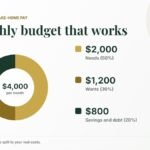
No app will fix your finances if you don’t have a budgeting framework behind it. The most popular method for beginners is the 50 30 20 rule — 50% of take-home to needs, 30% to wants, 20% to savings and debt. Set this up in any app listed above and you have a complete system. For faster debt payoff, read our guide on zero-based budgeting — the method YNAB is built around.
How to Get the Most Out of Any Budgeting App
The app is not the solution — your consistency with it is. These five habits separate people who see real results from those who download an app, use it for two weeks, and forget about it.
- Set a weekly check-in (10 minutes) — budgets fail when people only look at them monthly. A 10-minute weekly review catches overspending before it becomes a problem. Sunday evening works well for most people.
- Connect all accounts on day one — a budgeting app with only one account connected gives you an incomplete picture. Link every checking account, credit card, and savings account so you see the full picture.
- Categorize transactions for the first 30 days — most apps auto-categorize, but they make mistakes. Spending 5 minutes per week correcting categories trains the app and gives you accurate data. After 30 days, it mostly takes care of itself.
- Set realistic category limits, not aspirational ones — if you currently spend $600/month on groceries, setting a $300 limit will make you fail immediately. Start with your actual average, then reduce by 10% per month.
- Use the app after every purchase, not just at month end — the most effective budgeting app users check it after significant purchases, not just when reconciling. This keeps spending decisions conscious rather than reactive.
The single biggest predictor of budgeting app success is not which app you choose — it is whether you open it at least once per week. Any of the apps in this guide will work if you use it consistently. None of them will work if you only open it when things go wrong.
What to Do If You Keep Quitting Budgeting Apps
Many people download a budgeting app and stop using it within weeks. The app wasn’t the problem — the approach was. Here’s how to make it stick this time:
Start with tracking, not restricting. Most people quit budgeting apps because they feel like a diet — restrictive and punishing. The most effective approach is to spend the first 30 days just tracking without changing anything. You need baseline data before you can make good decisions. Resist the urge to immediately slash categories.
Pick the right time to review. Weekly 10-minute check-ins outperform daily micro-checking and monthly marathon sessions. Sunday evenings work for most people — you review the week, adjust for the next, and start Monday with clarity.
Use the app for one decision at a time. Instead of trying to optimize everything at once, pick one category — usually the one where you’re most surprised by your spending — and focus there for a month. Small, sustained changes compound dramatically.
Connect the budget to a goal. People who track spending as a means to a specific goal (paying off debt, saving for a house deposit, building an emergency fund) stick with it far longer than people who budget abstractly. Use your budgeting app alongside a concrete savings target — our Savings Calculator can help you set realistic milestones.
Give yourself a grace period. Your budget will be wrong for the first 2–3 months. Irregular expenses (car insurance, vet bills, vacations) will blow categories. This is normal and expected. The goal is to get better at predicting and preparing — not to be perfect from day one.
The Bottom Line: Best Budgeting Apps 2026
For most people: start with a free tracker like Empower (or Goodbudget’s free plan) to see where your money goes, then upgrade to YNAB if you’re serious about changing your financial behavior. If you’re a couple, Goodbudget’s envelope system is hard to beat. If you’re an investor who wants the full picture, Empower is the best free option by far.
Whatever app you choose, combine it with our free calculators: the savings calculator to project your savings growth, the debt payoff calculator to see when you’ll be debt-free, and the compound interest calculator to see what consistent investing looks like over time.
Frequently Asked Questions About Budgeting Apps
Below are the most common questions about the best budgeting apps in 2026.
Is YNAB $109/year?
If it helps you find and redirect $500/year in unnecessary spending (very common in the first month), it pays for itself five times over. The free trial is 34 days — long enough to see real results before committing.
Are budgeting apps safe to link to your bank?
Reputable apps like YNAB, Monarch Money and Empower use bank-level encryption and read-only access — they can see your transactions but cannot move money. That said, you are sharing sensitive financial data with a third party. If privacy is a priority, use a spreadsheet instead.
What happened to Mint?
Intuit shut down the original Mint app in March 2024 and migrated users to Credit Karma. Many users switched to alternatives — YNAB, Copilot, and Empower all saw significant user growth following Mint’s closure. Credit Karma now offers basic spending and net worth tracking, but not full budgeting tools.
Do I need a budgeting app or will a spreadsheet work?
A spreadsheet works perfectly well — many financial experts prefer them for privacy and control. The advantage of an app is automatic transaction syncing, which removes friction. Lower friction means more consistency. For most people, the best budgeting app is the one they’ll actually open every week.
The best budgeting app is only as good as your habits around it. Here’s what separates people who see results from those who download an app, use it for two weeks, and forget about it:
- Set a weekly check-in (10 minutes) — budgets fail when people only look at them monthly. A 10-minute weekly review catches overspending before it becomes a problem.
- Connect all accounts on day one — a budgeting app with only one account connected gives you an incomplete picture. Link every account you actively use.
- Adjust categories to your actual life — generic categories (dining out, entertainment) are fine to start. Within a month, customize them to match how you actually spend.
- Use the app alongside a goal — “save $5,000 for a house deposit” is more motivating than “track spending.” Apps work best when tied to a specific target. Use our savings calculator to set your target, then use the app to track progress.
- Don’t quit after one bad month — the first month of budgeting is always the hardest. Categories will be wrong, spending will be higher than expected. Stick with it. Month 2 is significantly easier.
Sources
- Official sites, for current plans and prices: YNAB, Monarch Money, EveryDollar, PocketGuard, Simplifi by Quicken, Copilot, Goodbudget.
- Consumer Financial Protection Bureau, Your Money, Your Goals toolkit (free budgeting worksheets).